Users, roles and permissions
Panel logins have one of three roles today. Residents and trades are not panel users: residents sign in to the portal by text code, trades scan a QR.
The roles
- Owner
- Sees every building and switches between them from the sidebar. Only an owner can create and delete buildings, change the service-wide Settings, see Billing, and add other owners. The first owner is made from the command line (
doorcom create-owner). - Manager
- Pinned to one building: the landlord, the block manager, the concierge. Everything for that building: doors, flats, residents, issues, trades, documents, messages, the board, the log, and the building's own managers and staff on Users. Settings is read-only for a manager.
- Maintenance
- Sees My jobs, Issues and the Status board for one building and nothing else. Has a linked trade record so jobs can be sent to them. See Staff logins.
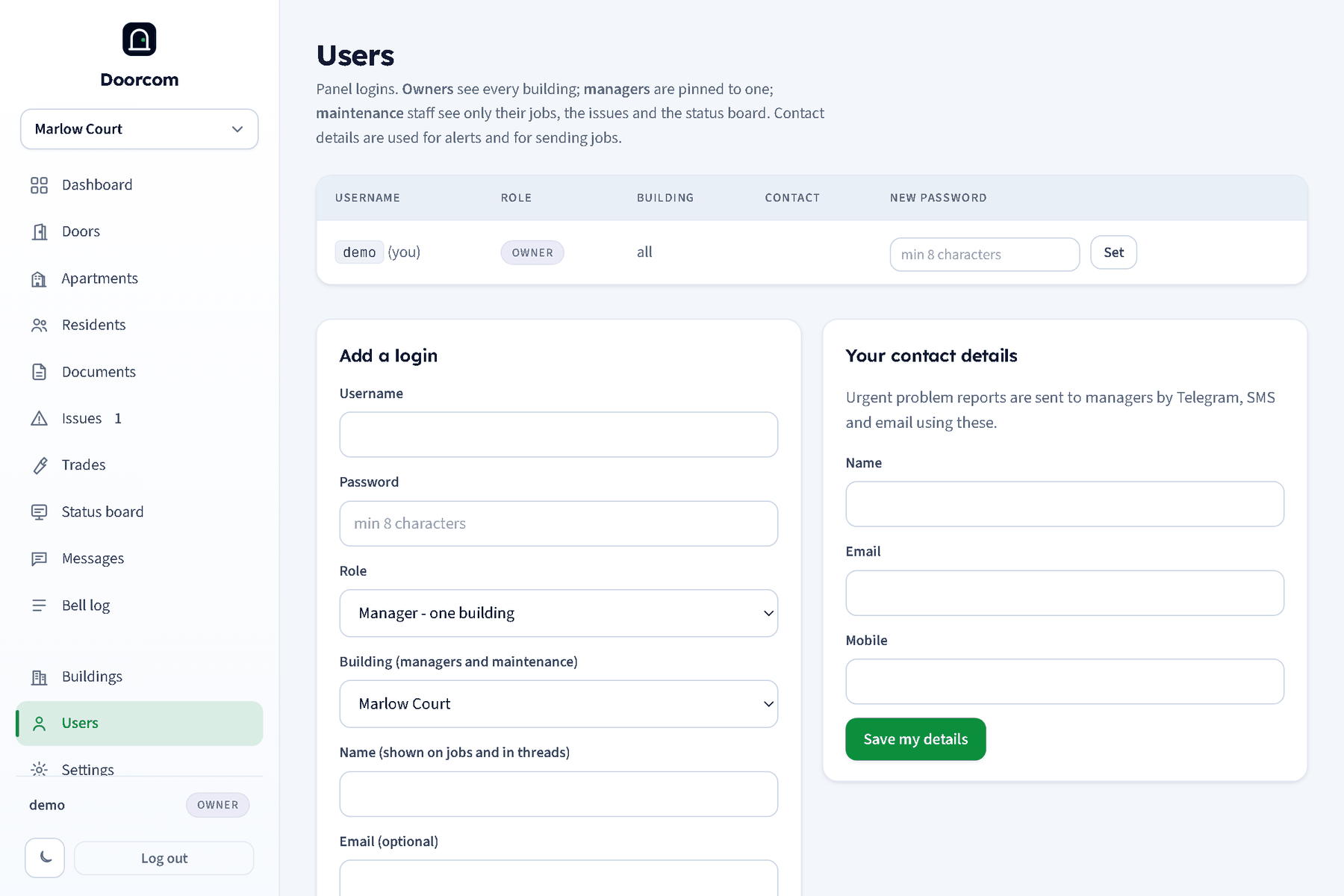
The Users page
- Add a user: username, password (at least eight characters), role, and for owners the building. Name, email and mobile are optional but worth filling in: they are where issue alerts go, and the name signs your replies to residents.
- Reset password on a row: owners for anyone, managers for their building's managers and staff, everyone for themselves.
- Delete: the same rule; you cannot delete your own login.
- Your details (
POST /users/me): your own name, email and mobile.
Managers and owners are told about new reports by email, and by text when the report is urgent, so an email address and a mobile on your own row are worth having. Telegram alerts for panel users are not linkable from the panel in this version.
Sessions
A panel login lasts 180 days and renews itself with use, so a manager on a phone types a password a couple of times a year. Logging out, or a password reset, ends the session. Resident sessions last a year; trade sessions five years.
What is being added
Organisations and permission groups are being added: an organisation will own a set of buildings and its own users, and permission groups will let an owner say which pages and actions each group may use, instead of the three fixed roles. The roles above keep working as they are.