Staff logins
A maintenance login is for an employee who does the jobs: a caretaker, a handyman on the payroll. They get a cut-down panel and are reached like any trade, so a job goes to them the same way it would go to an outside locksmith.
Creating one
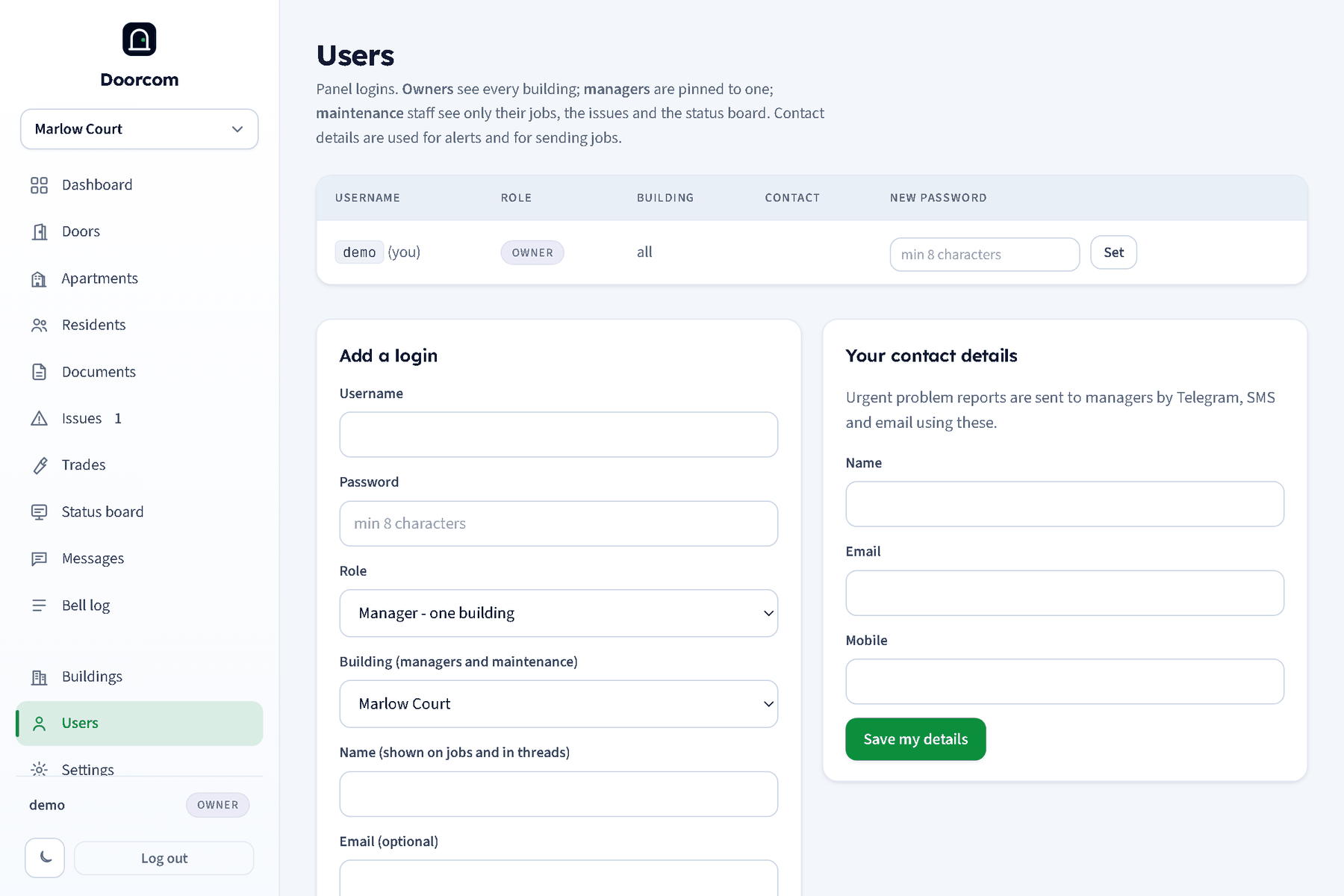
On Users, add a user with the role Maintenance - an employee who does the jobs, a username and password, and their name, mobile and email. Owners choose the building; managers can only add staff to their own. Creating the login also creates a linked trade record of kind "staff" with the same name and contact details, so the Send to box on an issue finds them by name, and the job goes out by Telegram, text and email like any other job.
What they see
A maintenance login's sidebar has three entries: My jobs, Issues and Status board. Every other page is refused with "maintenance logins can only see jobs, issues and the status board". They never see the residents list or anyone's phone number. Logging in takes them straight to My jobs.
- My jobs (
/jobs): the jobs sent to them, open first, with when each was sent and done. - Issues: the building's issues and each issue's page, where they can reply to the flat and change the status.
- Mark this job done: on an issue whose job was sent to them, a form with a note and photos. It marks the job done and the issue fixed, posts the note and photos to the thread, asks the residents to confirm, and tells the managers, exactly as the trade's Job done button does (
POST /issues/{id}/job/done). A job sent to someone else cannot be marked done by them. - Status board: read and update the board.
On their phone
Because every staff member is also a trade, their trade page has a login QR. Scan it once and /t on their phone is their job list, with the same job pages as an outside trade: the report, the photos, Message the resident, Job done. See Trades and jobs.
Removing a staff login
Deleting the user on Users removes the login. The trade record stays so the history of their jobs is kept; mark it inactive on Trades if it should no longer be offered in the Send to box.