Signing residents up
A resident signs up for a flat by claiming it: scan or type the flat's claim code, give a name and a mobile number, and enter the six-digit code that arrives by text. No password, no app. This chapter covers the three ways to hand the code over, a second person in the same flat, and moving out.
The on-screen dialog
On Apartments, each flat has Sign up a tenant. It opens /apartments/{id}/signup: a large QR, the claim code in two groups, the flat's link, and three numbered steps written for the tenant. This is the screen a receptionist turns towards someone standing at the desk.
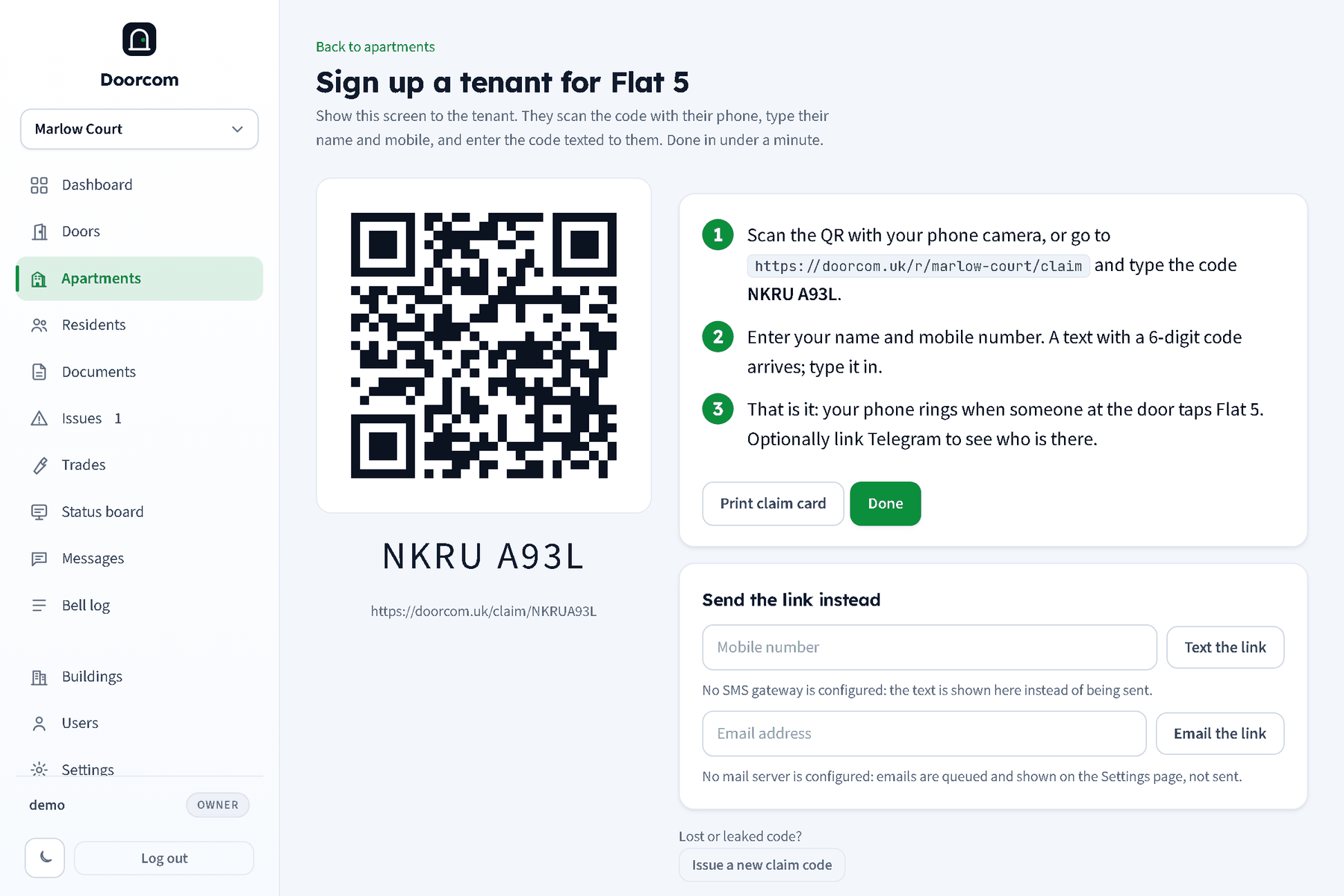
- The tenant scans the QR with their phone camera, or goes to
/r/<slug>/claimand types the code. - They enter their name and mobile number (an email is optional). A text with a six-digit code arrives; they type it in.
- Done. Their phone rings when someone at the door taps that flat. The portal offers Telegram linking next.
The dialog also lists who is already in the flat, with a Move out button for each.
Claim cards
Print claim card prints the same QR and code as an A6 card to post through the door. Print all claim cards at the top of Apartments prints every enabled flat, eight to an A4 sheet. See Posters, stickers and claim cards.
Texting or emailing the link
Under Send the link instead, type a mobile number and press Text the link, or an email address and Email the link. The text reads "Doorcom: claim flat 5 at Marlow Court: [link] (code XXXX XXXX)". The email says the same in a few lines.
Without an SMS gateway in Settings, the text is not sent: it is shown on the page and on the Settings page instead, so you can read the code out. Without a mail server, emails are queued and listed on the Settings page. Both say so on the dialog.
What the resident does
Opening the claim link (/claim/<code>) preselects the flat. The resident enters their name, mobile and optionally an email, and is sent the six-digit code (valid ten minutes; five wrong tries lock that number for a quarter of an hour). On the right code they are attached to the flat, the flat becomes claimed, "claimed Flat 5" is written to the log, and they land on the building status hub.
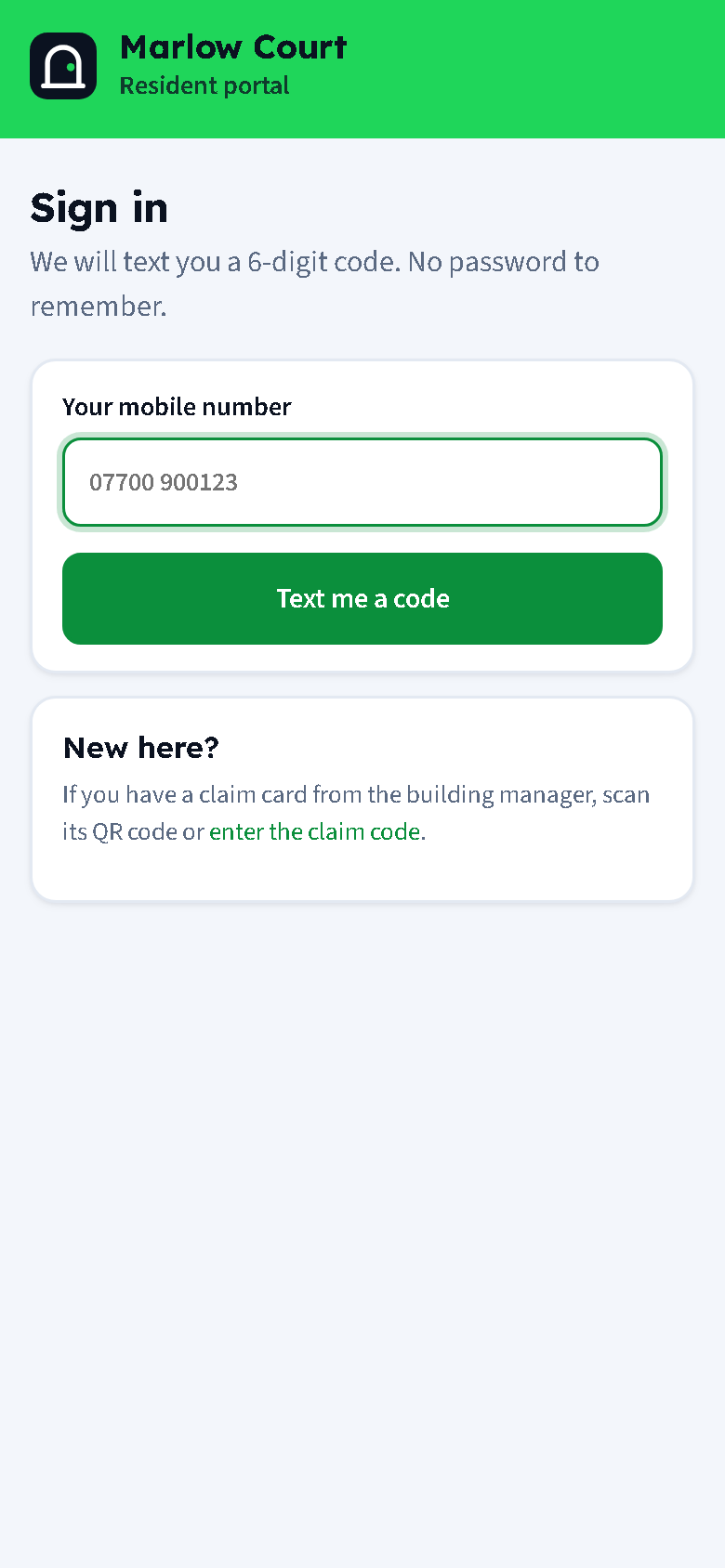
Typing the code by hand at /r/<slug>/claim does the same. On that page a resident with no code can also pick from the list of available flats, which is useful when you have given out one building-wide link rather than cards.
Signing in later
A resident who is signed out (sessions last a year and renew themselves, so this is rare) opens /r/<slug>, enters their mobile and the texted code, and is back in. A mobile that is known in this building goes straight in; one that is not is taken to the claim step.
A second person in the flat
A flat can hold several residents. The second person uses the same card, the same QR or the same link and goes through the same steps with their own name and mobile. Each resident gets their own Telegram link, their own call leg and their own preferences. The first to answer a ring wins.
Moving out
- From the panel: Residents, open the person, Move out (
POST /residents/{id}/detach); or the Move out button on the flat's sign-up dialog. - From the portal: the resident opens Quiet hours and preferences and taps Leave this flat.
Either way the person is removed, their portal sessions are dropped, and when the flat is left empty it goes back to available, so it never rings an ex-tenant. The move is written to the log. A flat between tenancies is best disabled until the next claim card goes out.
Editing a resident
A resident's page in the panel (/residents/{id}) lets a manager correct the name, mobile and email, switch Telegram, calls, email and snapshots on or off, set a quiet-hours override, unlink Telegram, send a Telegram test message, and see the flat's recent rings. Numbers are shown to managers here and nowhere else in the system.